Per-space overrides
Override the global identity on a specific service space (JSM project).
Service spaces often want a different identity than the site-wide default. For instance, "IT Help Desk" and "Facilities" can each have their own service desk agent persona. Proxy Agent supports per-space overrides for exactly this case.
Who can edit space settings
A space admin (called project admin on older sites) for the space in question. You don't need to be a Jira site admin.
Open the space Settings page
- Open the service space.
- Open Space settings in the left rail.
-
Under the Apps group, expand Act as Agent and click Settings.
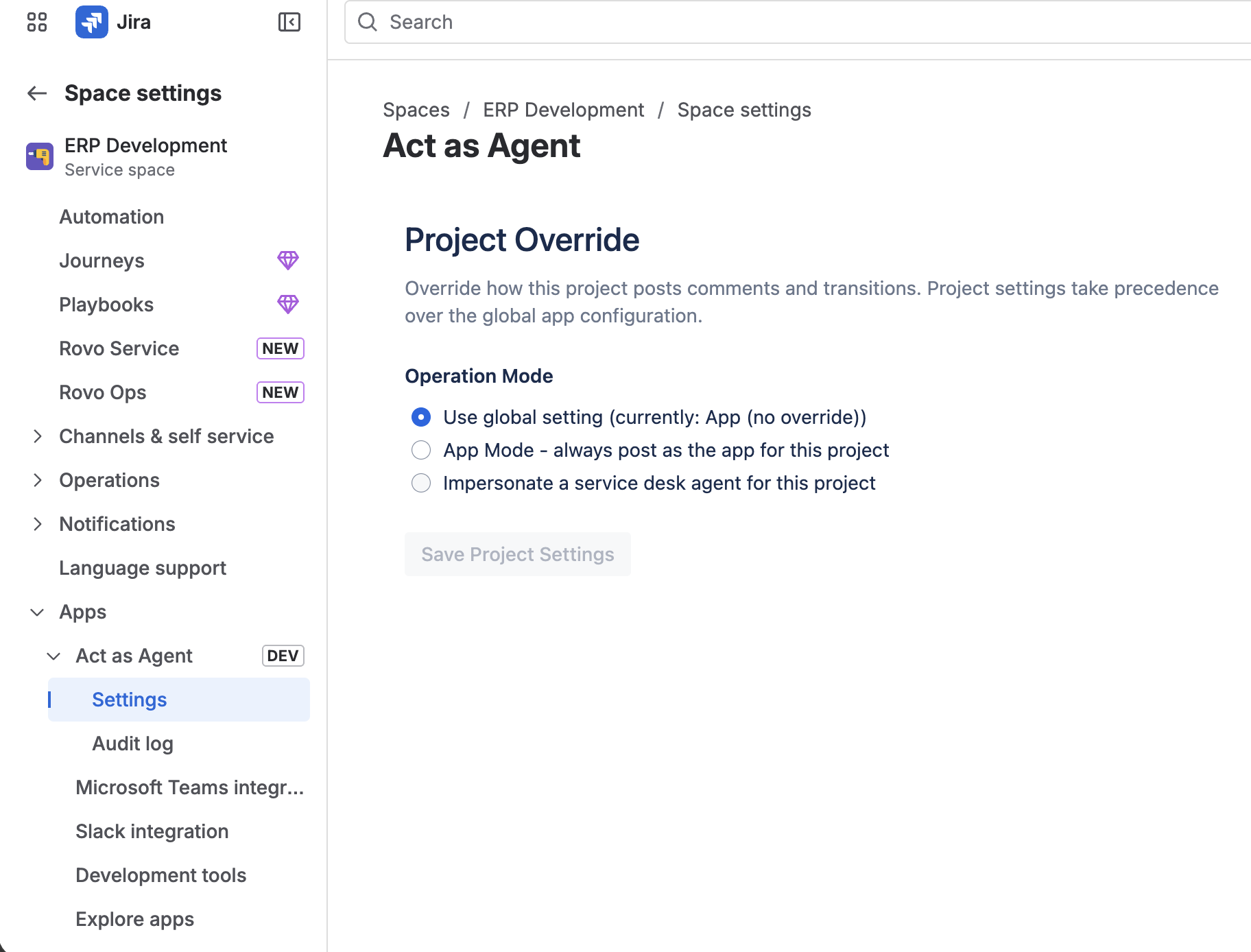
Space settings left rail with "Act as Agent" expanded under Apps and "Settings" highlighted
Choose how this space should behave
Three options:
| Option | What happens |
|---|---|
| Use global setting | Defer to the site-wide config. The current effective value is shown in parentheses next to this option (e.g., currently: App (no override) or currently: Impersonating Sam Lee). |
| App Mode | Always post as the app for this space, regardless of the global setting. |
| Impersonate a service desk agent for this project | Use a space-specific agent. A Service Desk Agent picker appears below. |
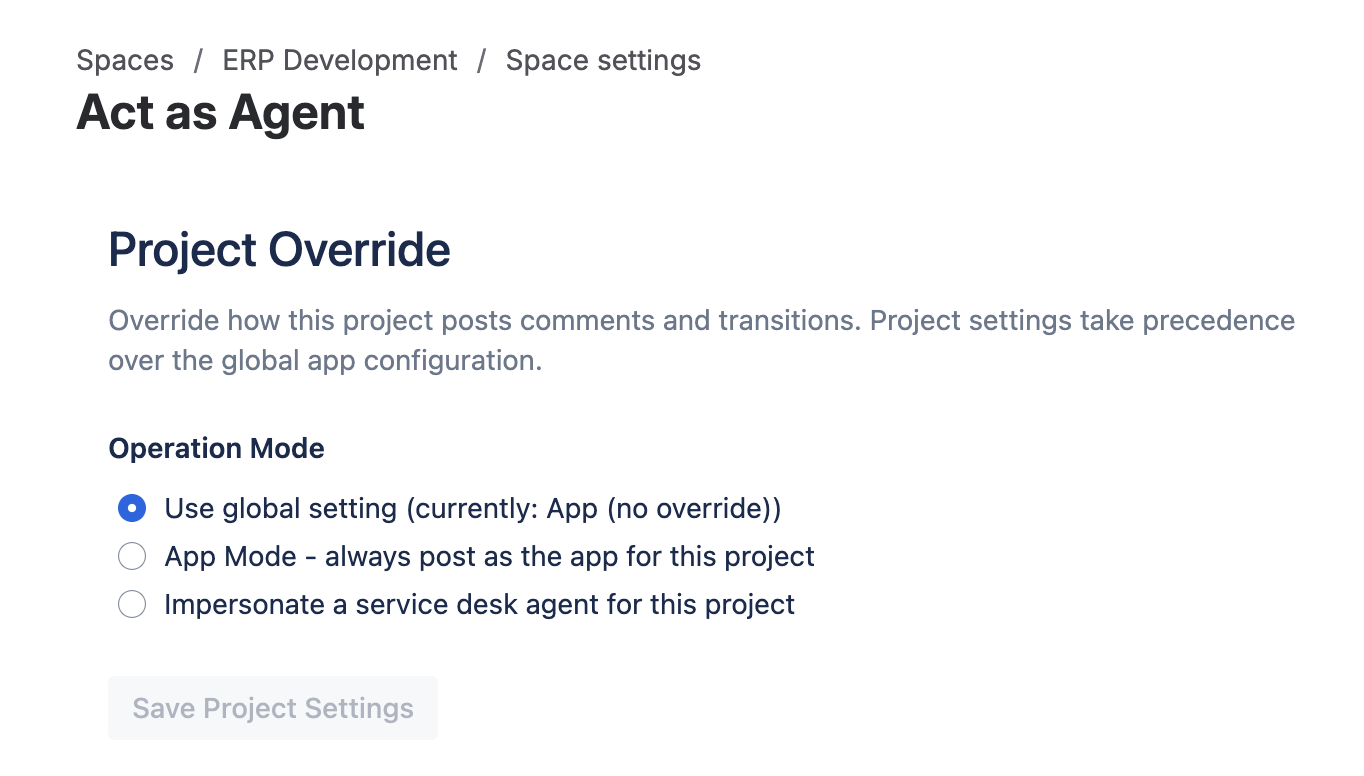
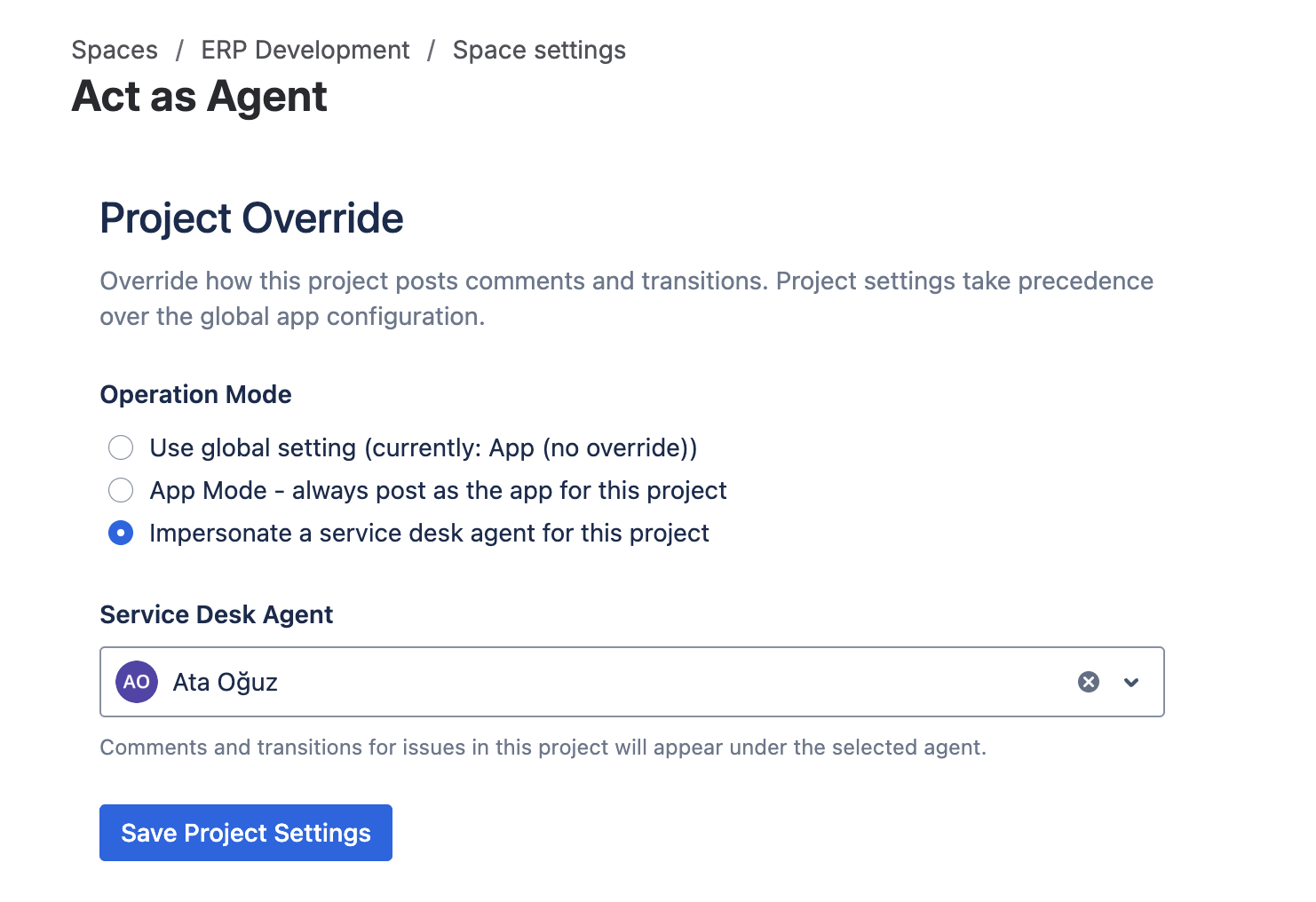
Save
Click Save Project Settings. A success banner confirms; an error banner reports any save failure.
Removing an override
To revert to the global default, switch the space back to Use global setting and save. This deletes the space-specific configuration; the next action on this space will use the global config.