Update issue links as the agent
Add or remove issue links, attributed to the configured agent.
Open the Update Links tab
In the Act as Agent modal, switch to the Update Links tab.
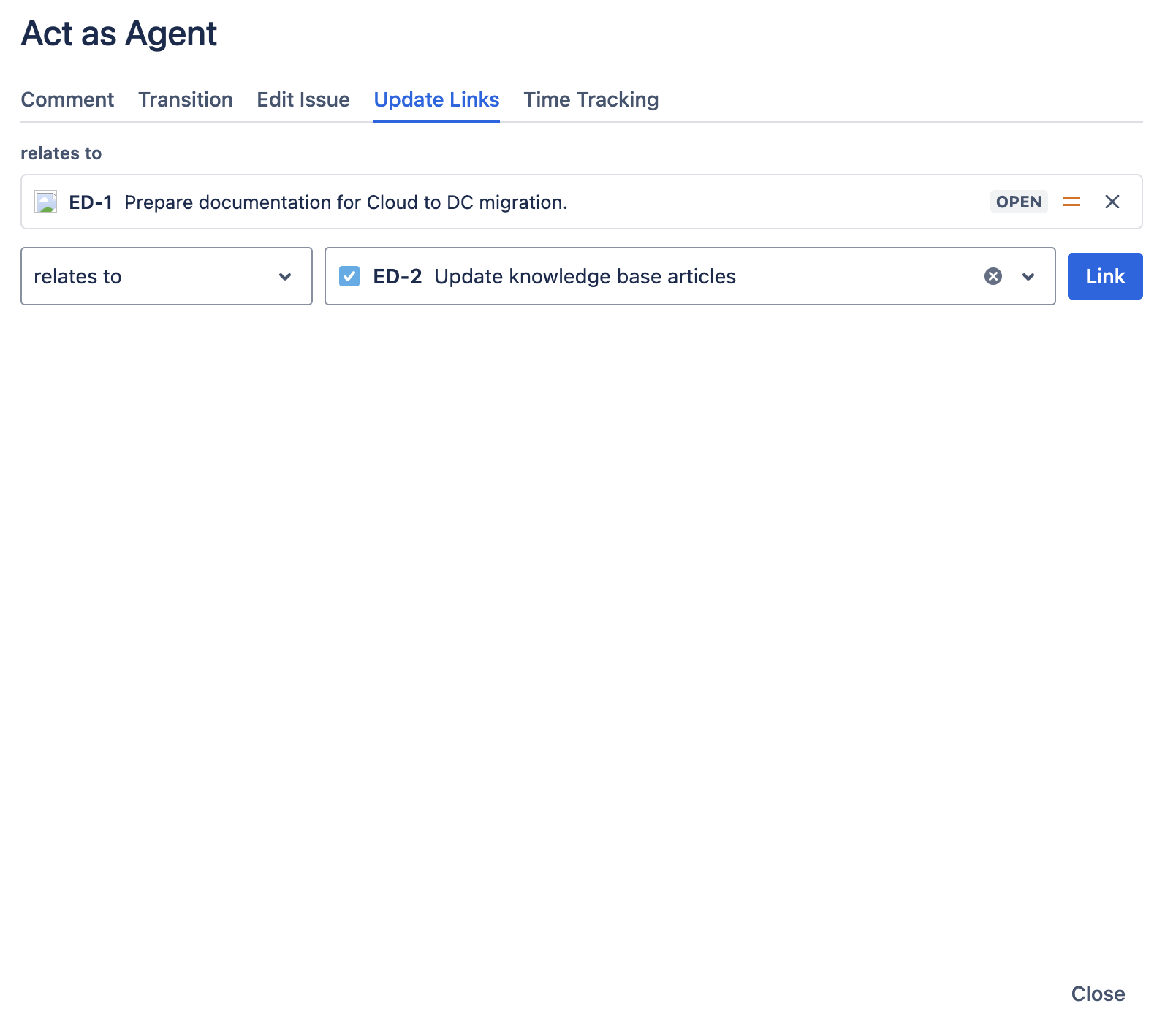
Existing links are listed at the top, grouped by relationship (for example, Blocks, is blocked by, relates to). Each link shows:
- Issue type icon.
- Issue key (e.g.,
IT-1289). - Issue summary.
- Status badge.
- Priority.
- A remove (×) button.
If the issue has no links yet, you'll see No linked work items.
Add a link
Use the add a link row at the bottom:
- Pick a relationship (for example,
blocks,is blocked by,relates to). -
Search for the target issue. Type to search across your Jira site; the current issue is excluded from results.
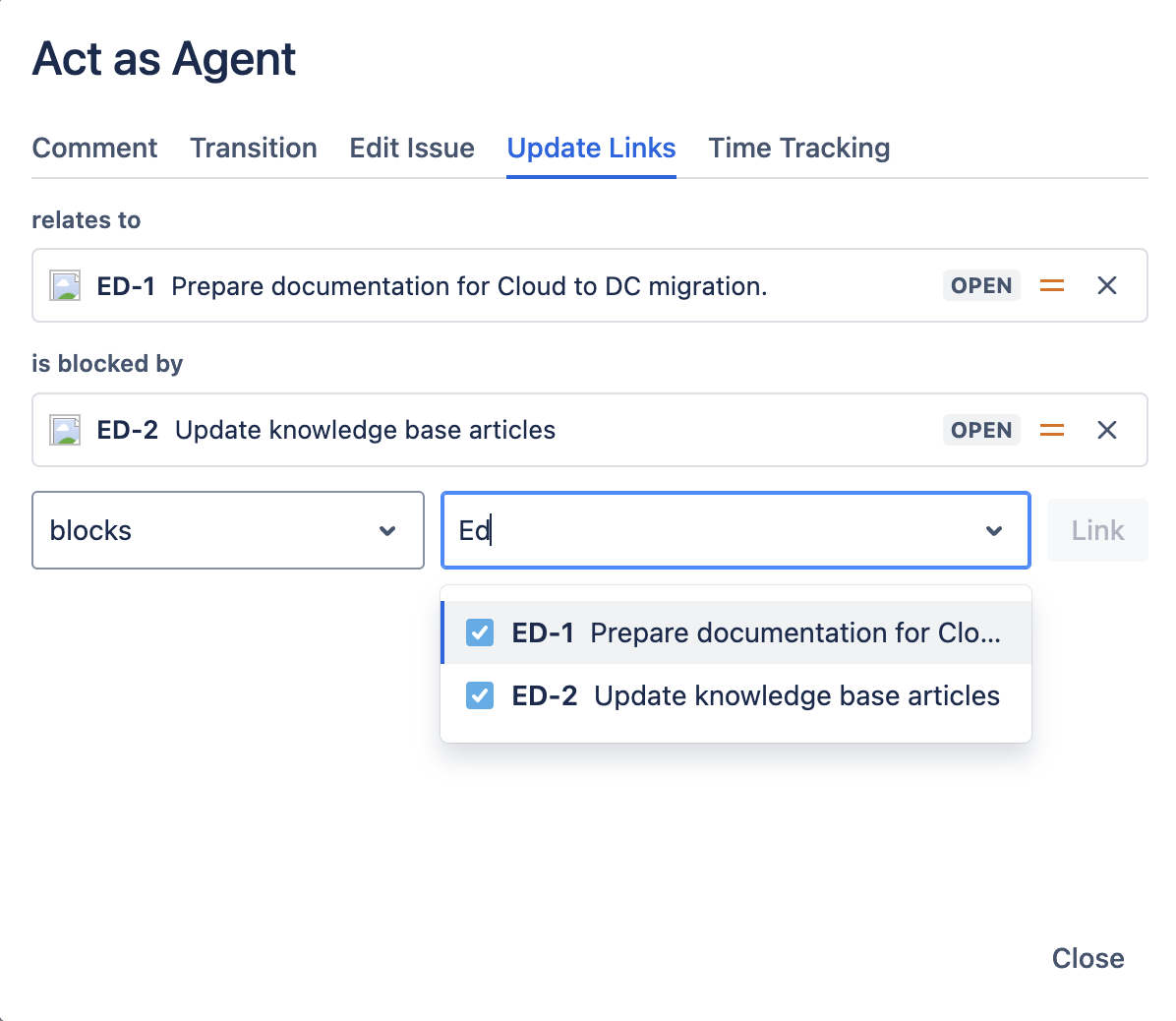
Add-link row with the issue search dropdown open showing search results with icons and summaries - Click Link. The link is created and the existing-links list refreshes.
Remove a link
Click the × button next to any existing link. The link is removed immediately.