Transition an issue as the agent
Move a ticket through its workflow under the configured agent's identity, optionally with a comment.
Open the Transition tab
In the Act as Agent modal, switch to the Transition tab.
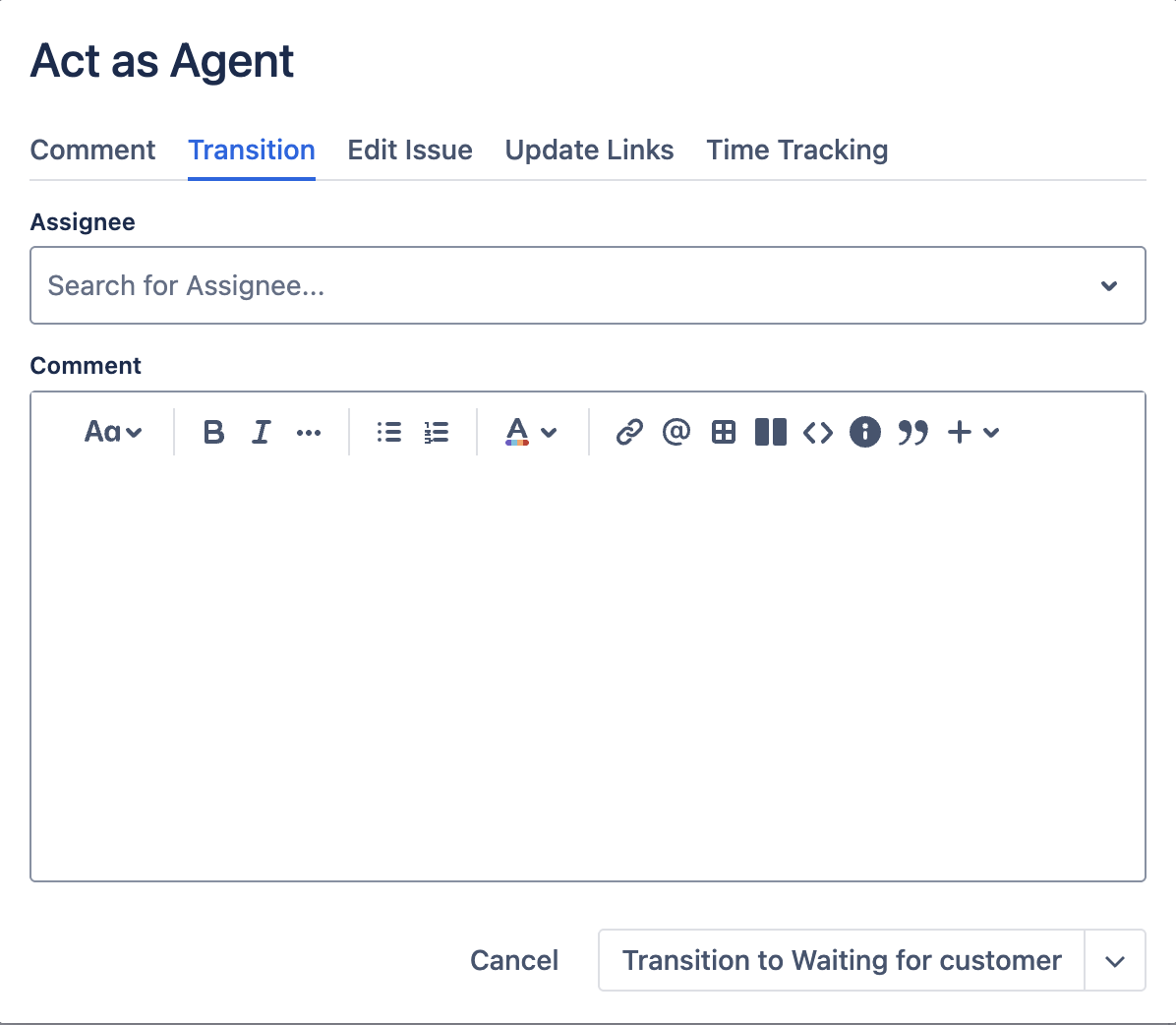
Pick a transition
Click the dropdown to see every transition available from the issue's current status.
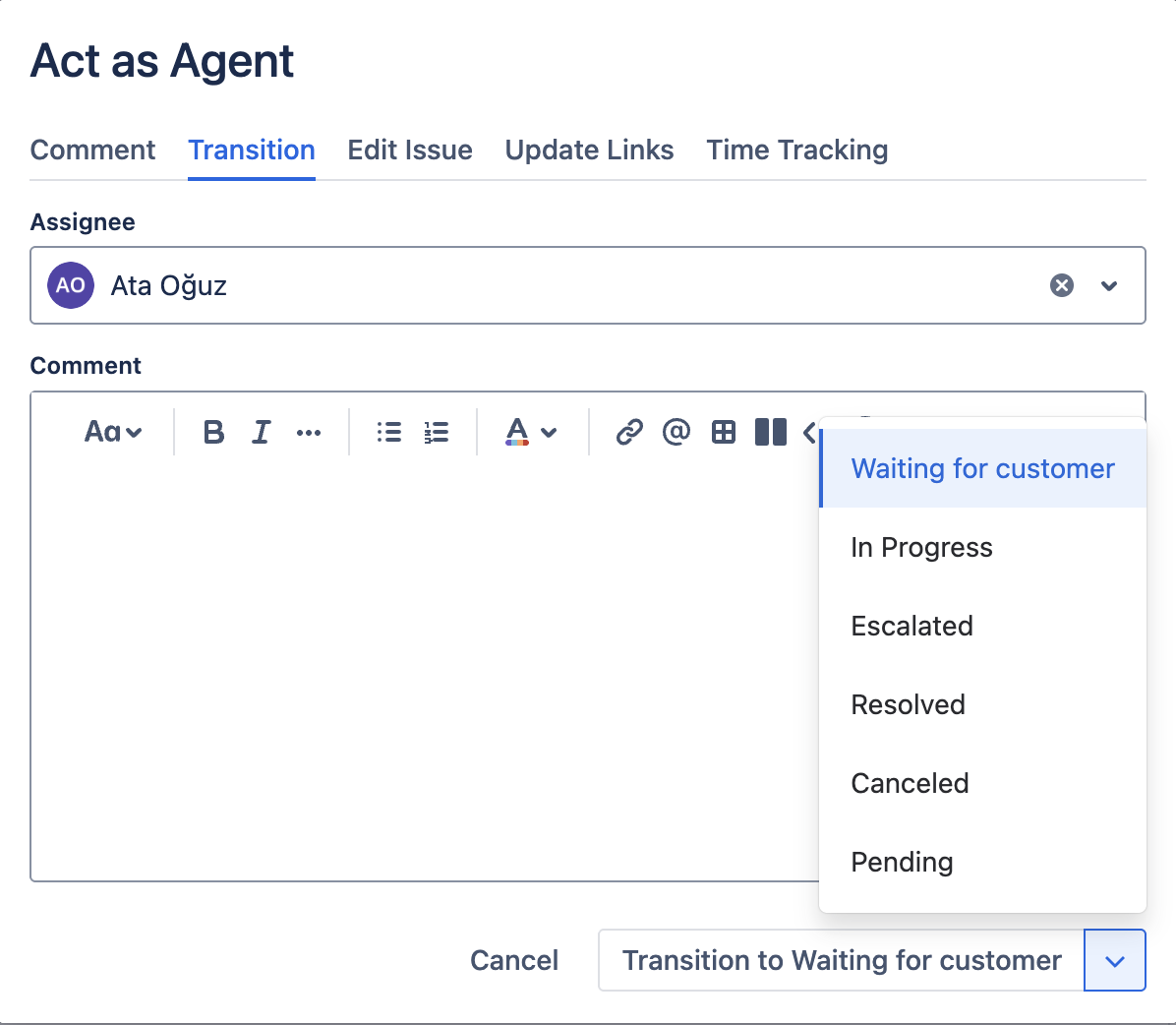
If the dropdown shows No transitions available, either the issue's workflow has no outgoing transitions from the current status, or you lack permission to transition it.
Fill in transition fields
Some transitions require additional fields, most commonly a Resolution, but workflows can require any field. Required fields are marked with (required) and the Transition button stays disabled until they are filled.
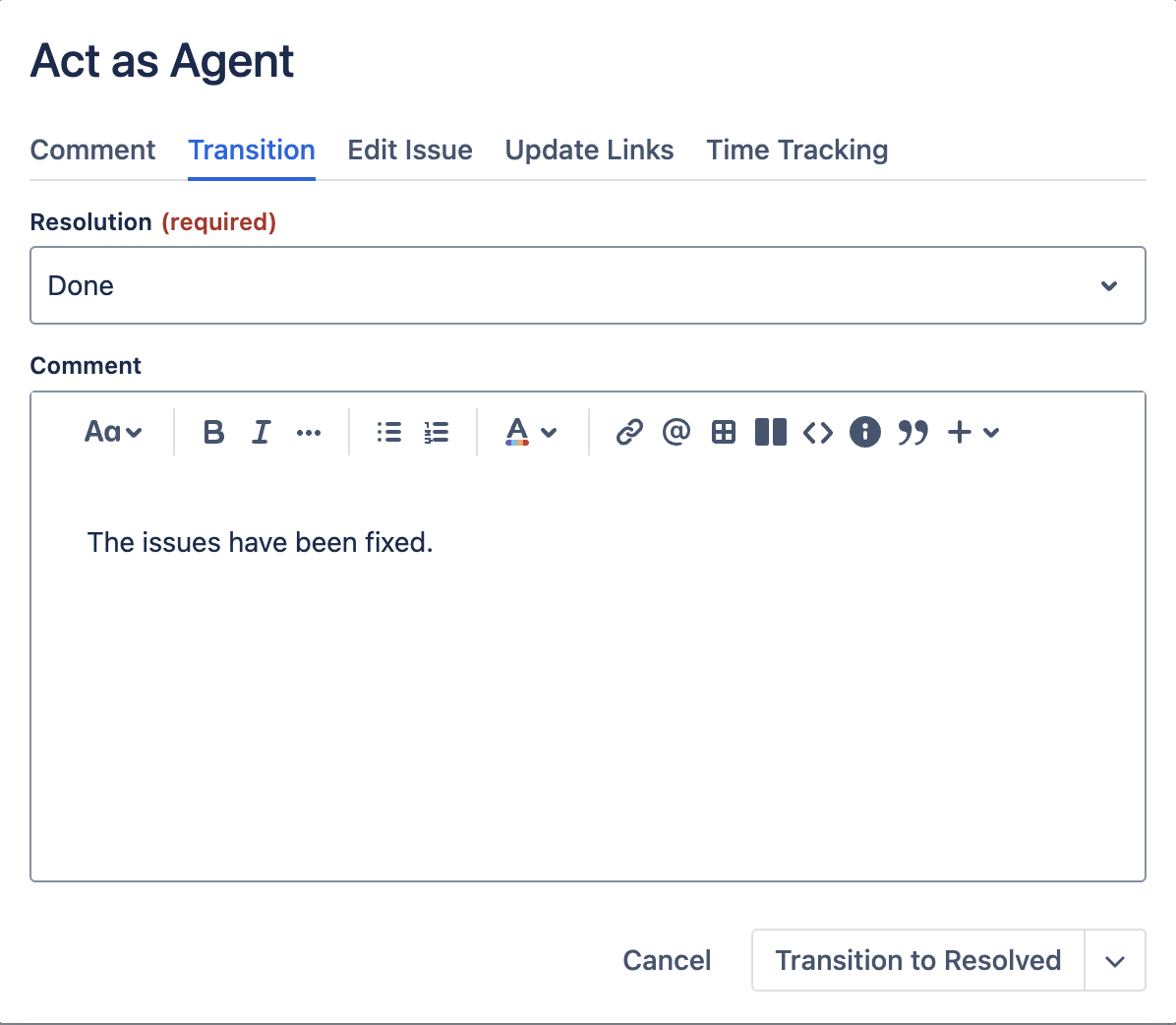
Add a comment with the transition (optional)
A comment editor appears below the field form. Use it to leave a note alongside the transition, for example, "Closing as duplicate of {issue}." The editor is the same rich-text editor as the Comment tab.
Submit
Click Transition to {status}. The modal closes and the issue refreshes. A toast confirms success.